Mastering Google Business Profile: A Comprehensive Guide
Master your Google Business Profile: the practical guide to setup, optimization, and ongoing management for local SEO

For local businesses, agencies, and multi-location brands, a strong Google Business Profile (GBP) is the foundation of discoverability and new customer acquisition. This guide breaks GBP down into clear, actionable steps - from setup and verification to advanced tactics that improve relevance, proximity, and prominence in local search.
We’ll also cover review strategy, feature adoption, analytics interpretation, and scalable workflows. Plus, see how RankONE’s local marketing tools - like our Local Marketing Checklist and GBP ROI Calculator - streamline work, help you earn trust, and turn local visibility into measurable revenue.
What is a Google Business Profile and why it matters for local SEO
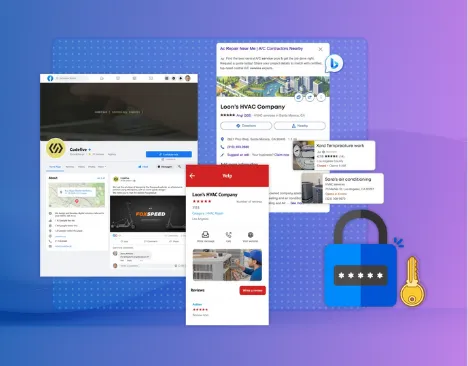
Your Google Business Profile is a free listing that connects your business directly to Google Search and Maps, making it easier for local customers to find and choose you. Accurate details, strong visuals, and active review management strengthen credibility and lift local rankings, sending more clicks and foot traffic your way.
Businesses with complete profiles are notably more trusted: they’re about 2.7x more likely to be seen as reliable, 70% more likely to get in-store visits, and 50% more likely to convert those visits into sales. A well-maintained GBP feeds the local pack algorithm - where relevance, distance, and prominence determine visibility - so getting the basics right is the first step to long-term local performance.
How a Google Business Profile boosts your local visibility
A GBP amplifies your presence by blending organic search listings with Maps results. For “near me” and local intent queries, a well-optimized profile can appear in the local pack above standard organic links - a spot that captures meaningfully more clicks. Regularly adding quality photos, timely posts, and responding to reviews sends strong engagement signals that expand your reach in local search.
Core features of a Google Business Profile

A complete GBP typically includes:
- Your official business name, address, and phone number (NAP) to keep listings consistent across the web.
- Primary and secondary categories and services that reflect what customers are searching for.
- High-quality photos and videos that showcase your location, products, and team.
- Regular posts about offers, events, and updates to show activity and relevance.
- A Q&A section where you answer common customer questions directly.
- Detailed product and service entries that make offerings easy to find.
- Review management features that help you collect and respond to feedback.
Together, these elements feed the signals Google uses to rank local results and influence how prominently your business appears.
Why Google Maps integration matters
Google Maps links your physical location to search intent, driving direction requests and in‑store visits. Maps uses geolocation to match nearby customers with your locations. Rich map listings - with photos, reviews, and service details - show up more prominently for local queries. Accurate pins and up‑to‑date attributes reduce navigation issues and improve the customer journey from search to visit.
Step-by-step: creating and verifying your Google Business Profile
Setting up a GBP requires precise data entry and verification. Accurate details and timely verification are essential to unlock features and maintain strong local SEO.
Steps to set up your Google Business Profile
- Sign in with your Google account and claim your business name.
- Enter core business details: name, address or service area, phone number, and website.
- Choose the most relevant categories and list your primary services.
- Upload high-resolution photos of your storefront, products, and team.
- Write a clear, customer-focused business description that naturally includes target keywords.
- Submit the profile for verification to activate it.
Following these steps makes your profile discoverable and eligible for local pack placement - a direct factor in local rankings.
Verification methods and troubleshooting tips
Common verification methods include a mailed postcard, phone call, email, or instant verification (for eligible accounts). If a postcard is delayed, confirm your address matches Google’s formatting and request a new code after 14 days. For failed phone or email verifications, check that contact details are correct and free of unusual characters. Resolve verification problems quickly to unlock analytics and management features.
Essential business information to include
Make sure your profile contains:
- Your exact business name as shown on signage.
- The precise address or a clearly defined service area.
- A local phone number with the correct country and area codes.
- Primary and any relevant secondary categories.
- Accurate opening hours for every day of the week.
- A concise, keyword-aware description that highlights services and differentiators.
- At least three photos showing exterior, interior, and key offerings.
Complete profiles send stronger trust and prominence signals to Google and to potential customers.
Optimizing your Google Business Profile for local SEO
Optimization is ongoing. Beyond setup, you should continually refine the factors that influence relevance, proximity, and prominence to stay competitive in local search.
Top GBP ranking factors
- Relevance - how well your categories, keywords, and content match search intent.
- Distance - the physical proximity between the searcher and your location or service area.
- Prominence - the quantity and quality of reviews, photos, posts, and links.
These factors interact: improving one often helps the others perform better.
Choosing categories and keywords
Categories tell Google what you do. Start with your primary category, then add up to eight secondary categories that reflect additional services. Use descriptive, long-tail phrases in your business description and post titles - for example “emergency plumbing repair” or “artisanal coffee roaster” - to capture specific searches without keyword stuffing.
Optimizing profiles for service-area businesses
If you serve customers at their locations, set a clear service radius and avoid listing a public-facing address. Add cities, regions, and zip codes to your service area. Use posts to announce expanded coverage or temporary changes. This keeps proximity signals strong without confusing Google’s geocoding.
Using posts and descriptions to improve visibility
Publish GBP posts regularly - promotions, events, and updates - to show activity. Use clear calls to action and relevant local keywords (e.g., “free estimate in Portland”) within the 300-character post limit. Keep your business description current during seasonal changes or when services evolve. Regular, useful posts drive interaction and increase the chance your profile appears in update carousels.
Managing reviews and building a reliable reputation

Reviews are social proof and a major signal for prominence. A proactive review strategy increases star ratings, trust, and local visibility.
How to get more Google reviews
- Ask for reviews right after a service via follow-up email or SMS.
- Include a review prompt on receipts, invoices, or in-store signage.
- Offer a small, compliant incentive - for example, entry into a monthly prize draw - to encourage feedback.
A steady flow of recent reviews shows consistent customer satisfaction and supports better local rankings.
Responding to positive and negative reviews
Reply to positive reviews promptly with a personalized thank-you that references details from the review. For negative feedback, start with a sincere apology, offer a clear remedy, and invite offline resolution. Thoughtful responses demonstrate care and can turn unhappy customers into repeat clients.
Dealing with fake or policy-breaking reviews
Flag reviews that violate Google’s policies - spam, hate speech, or off-topic content - and request removal through Google support. Save screenshots and document policy references to strengthen your dispute.
How reviews affect local rankings
Your average rating and review volume influence prominence. Businesses with 50+ reviews often see roughly a 25% lift in local pack visibility. High-quality, recent reviews also increase click-through rates and reinforce positive ranking signals.
Advanced GBP features to increase engagement
Beyond basic fields, GBP includes features that deepen customer interaction and build credibility when used well.
Photo and video best practices
Add new photos each month to showcase new products, seasonal setups, and your team. Keep videos short - under 30 seconds - to spotlight services or offer quick virtual tours. Use clear, descriptive file names (for example “google-business-profile-kitchen-tour.jpg”) and ALT text that includes relevant entities (for example “interior view of local bakery storefront”).
Writing effective Google Business Profile posts
Create posts around limited-time offers, behind-the-scenes moments, or product launches. Lead with a compelling headline (for example “Summer Coffee Tasting Event”), list dates and times, and finish with a strong call to action. Stay within 300 characters for best mobile visibility.
Using the Q&A to pre-answer customer questions
Monitor and answer questions daily with concise, helpful replies. Seed the Q&A with common queries - payment options, parking, or online ordering - using your owner account so prospective customers see authoritative answers first.
Adding products and services
Under “Products,” list each item with name, category, price range, and an appealing image. For services, include clear descriptions and any relevant codes. Group entries logically (for example “Coffee Beverages,” “Espresso Drinks”) to help customers find what they need and to strengthen relevance signals.
Analyzing and tracking your GBP performance
GBP insights give you the data to sharpen local marketing, allocate resources, and measure impact.
Key metrics in GBP Insights
- Search queries that led users to your profile.
- Customer actions: website visits, direction requests, and phone calls.
- Photo view comparisons versus competitors.
- Share of direct searches vs. discovery searches.
These metrics show how customers find you and where to focus optimization efforts.
Using data to refine your local strategy
Spot underperforming keywords in the search queries report and update your description or posts to include them. If direction requests outpace phone calls, shift ad spend or outreach toward areas with lower foot traffic. Track photo view trends to learn which visuals resonate and guide future content.
Tracking calls, clicks, and directions
Use the “Customer Actions” section to monitor daily calls, website clicks, and direction requests. Export these reports monthly to analyze trends and tie spikes to promotions or new posts so you can quantify campaign impact.
Scaling GBP for agencies and multi-location businesses
Managing many listings efficiently requires central tools, repeatable processes, and clear governance.
Managing multiple profiles efficiently
Use a centralized dashboard for bulk edits to business details, posts, and photo galleries. Standardize naming conventions and category choices across locations to maintain brand consistency and reduce manual errors.
Tools for bulk verification and updates
Use API-powered systems for bulk profile creation and verification. Automated workflows let you push updates - like hours changes or service announcements - to dozens or hundreds of locations at once, ensuring consistent accuracy across your network.
Integrating GBP with CRM and marketing automation
Sync GBP inquiry data into your CRM to track lead sources and automate follow-ups. Set up email workflows that trigger on new reviews to request more feedback or recommend related services, maximizing customer lifetime value.
Best practices for multi-location optimization
Create a governance framework with role-based permissions, standardized naming rules, and clear review-response guidelines. Train local managers on posting cadence, photo updates, and review handling to keep your brand voice consistent while enabling local autonomy.
How RankONE helps you scale local SEO
RankONE automates Google Business Profile management so teams spend less time on routine tasks and more on strategy. Our Local Marketing Checklist outlines the essential steps, and the GBP ROI Calculator translates profile improvements into revenue and customer-acquisition estimates. By fitting into your existing workflows, RankONE strengthens relevance, proximity, and prominence without adding manual complexity.
RankONE features for full GBP management
- Automated, data-driven recommendations for categories and keywords based on local search trends.
- Bulk scheduling for photos and posts across multiple profiles.
- Review monitoring with AI-assisted response suggestions.
- An integrated insights dashboard showing search queries, customer actions, and competitor benchmarks.
These features free your marketing team to focus on strategy instead of repetitive tasks.
How the GBP ROI Calculator proves value
Enter metrics like average transaction value, conversion rates, and expected foot-traffic lifts to estimate revenue gains from GBP optimization. Scenario comparisons highlight payback timelines and return multiples, giving stakeholders clear, data-backed justification for investment.
Getting started with the checklist and a software trial
Download the Local Marketing Checklist to audit your current GBP setup against best practices. Then start a free RankONE trial to test automated verification, smart optimization recommendations, and consolidated reporting. Our onboarding team and prebuilt templates speed adoption so you see value quickly.
Frequently asked questions about Google Business Profiles
Creating a Google Business Profile is free. With your business details on hand, basic setup typically takes under 30 minutes. Verification times depend on the method: phone or email usually finish within a day, while postcards can take up to two weeks. Consistent optimization - selecting the right categories, adding good photos, and encouraging reviews - drives compounding local SEO gains that often become noticeable within 4–6 weeks.
Conclusion
Maximizing your Google Business Profile is essential for enhancing local visibility and attracting new customers. By implementing the strategies outlined in this guide, you can significantly improve your relevance, proximity, and prominence in local search results. Take the next step in optimizing your profile by downloading our Local Marketing Checklist and starting a free trial of RankONE today. Elevate your local SEO efforts and watch your business thrive in the competitive landscape.
About the Author
Thomas Hassett
Thomas Hassett is the Co-founder of RankONE, a local SEO technology company on a mission to help businesses get found online through Google Business Profile optimization and AI-powered marketing tools. Since launching RankONE, Thomas has helped businesses across industries grow through data-driven local search strategies and automated lead generation systems.
Before co-founding RankONE, Thomas held operations and strategy roles at technology companies, where he developed expertise in scaling client-facing systems and optimizing business processes. His background in systematic problem-solving and performance optimization now drives the methodology behind RankONE's marketing solutions.
Thomas's career has focused on marketing automation, conversion optimization, and local search strategies. His deep knowledge of Google Business Profile management, combined with real-world experience scaling operations, positions him as a trusted voice in the local SEO space.
Under his leadership, RankONE has become a go-to solution for businesses seeking to dominate local search rankings through AI automation and performance-focused strategy. The company's tools, including ConversionONE, help businesses streamline their marketing and convert more leads into customers.
Thomas continues to build and refine tools with one mission in mind: to help businesses get found online by their perfect customer.